

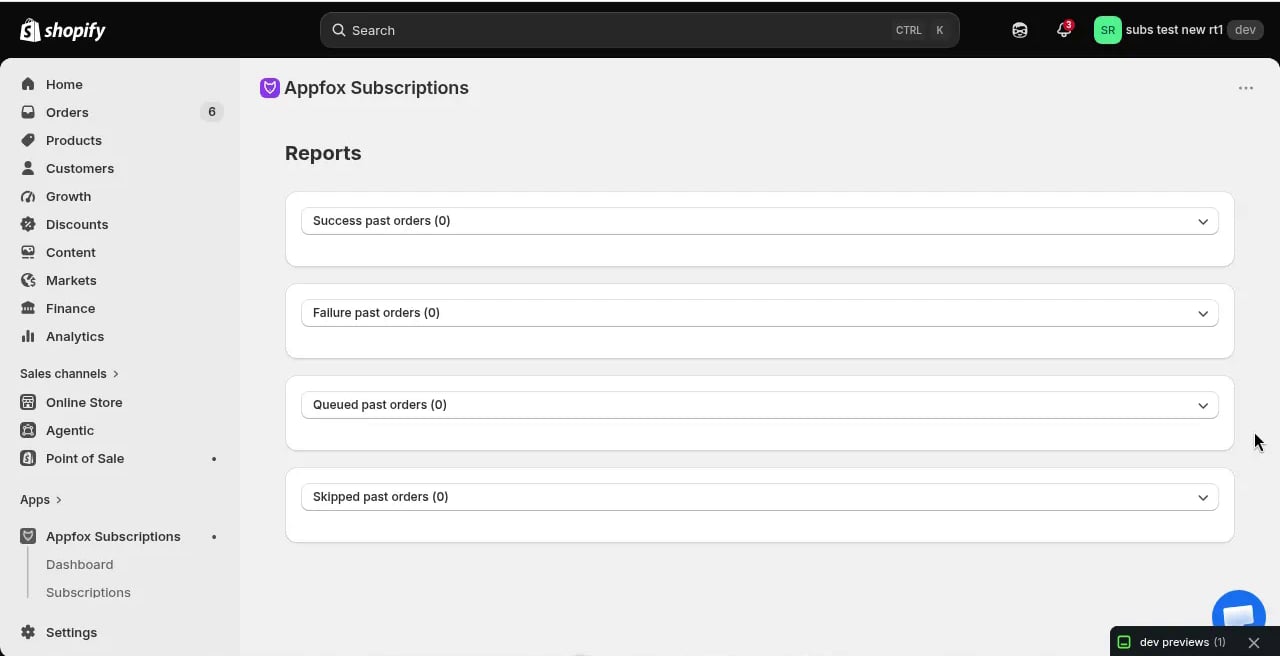
Report categories
Reports are organized into four categories based on order outcome:Success past orders
This report lists all successfully processed subscription billing attempts. Each row shows:- Order ID and date
- Customer name
- Products and quantities
- Order amount
- Billing cycle number
Failure past orders
Failed orders represent billing attempts that couldn’t be completed due to payment issues. Common failure reasons include:- Expired credit card
- Insufficient funds
- Payment gateway errors
- Invalid payment method
Queued past orders
Queued orders are subscription billing attempts that were scheduled but not yet processed. This typically happens when:- The billing date was rescheduled
- The subscription was paused before the billing attempt
- A manual delay was applied
Skipped past orders
This report shows billing cycles that were intentionally skipped. Orders appear here when:- A merchant manually skipped a billing cycle
- The subscription was paused during the billing window
- Inventory was unavailable and the order was skipped rather than failed
The app does not support customer-initiated order skipping through the portal. Skipped orders in this report result from merchant actions or system conditions.
Using reports
Click each report section to expand it and view the full list of orders. You can:- Export report data for external analysis
- Filter by date range to see specific billing periods
- Search for individual customers or order IDs
- Compare success and failure rates over time