

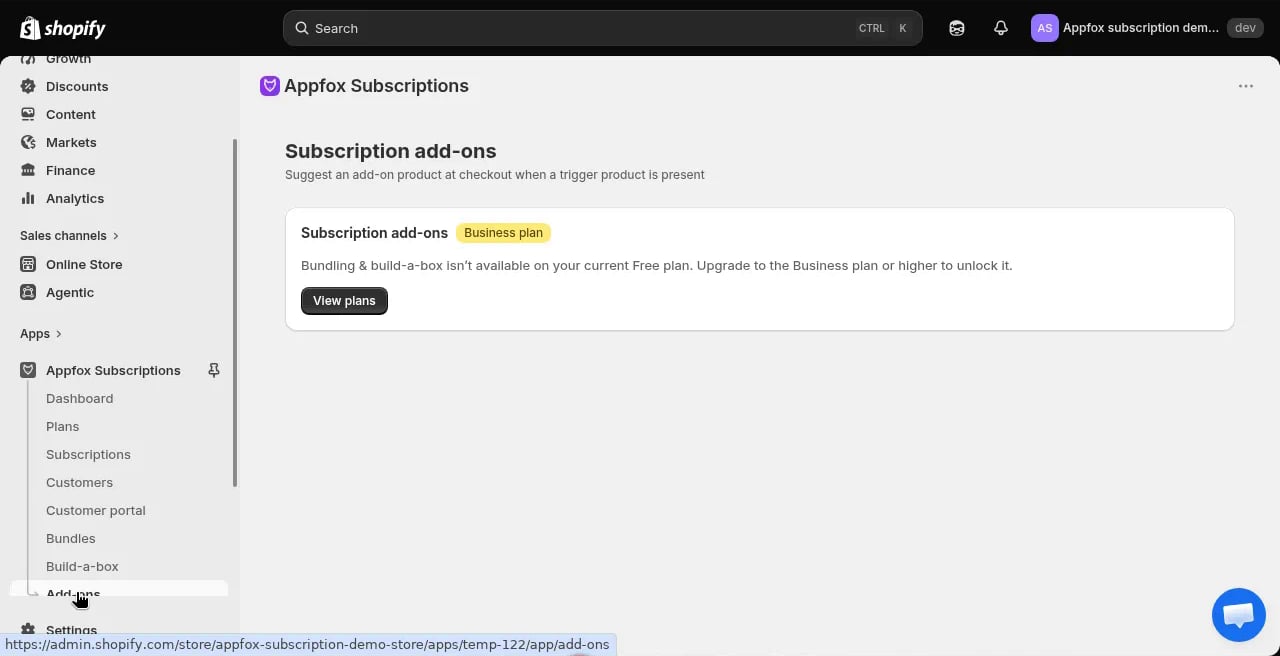
What are add-ons?
Add-ons are products that customers can add to their subscription at checkout. They appear as optional upsells when a customer is setting up a subscription. For example, if a customer subscribes to coffee beans, you might offer filters or a coffee mug as add-ons. Add-ons are billed on the same schedule as the main subscription. If the customer subscribes monthly, the add-on is also charged monthly.Business plan required
Add-ons are available on the Business plan or higher. Upgrade your plan to unlock this feature.Configure add-ons
1
Upgrade to Business plan
Go to Plan & billing and choose the Business plan or higher.
2
Go to Add-ons settings
Click Add-ons in the app navigation, then click Configure.
3
Select products
Choose which products to offer as add-ons. These products appear as upsell options during subscription checkout.
4
Set pairing rules
Configure which add-ons appear for which subscription plans. You can show specific add-ons only when customers subscribe to certain products.For example, show coffee filters only when customers subscribe to coffee beans.
5
Save your configuration
Click Save to activate the add-ons. They will appear in the subscription checkout flow immediately.
How add-ons work
When a customer creates a subscription, the checkout flow shows available add-ons. The customer can select zero, one, or multiple add-ons to include in their recurring orders. Add-ons are billed at the same frequency as the main subscription. If the subscription is paused or cancelled, the add-ons are also paused or cancelled. Customers can add or remove add-ons from their subscriptions at any time through the customer portal.Add-ons apply to the entire subscription. If a customer has multiple products in their subscription, the add-on is charged once per billing cycle, not once per product.